Toolkit of the Pros: Essential Tools That Top Creators Use Daily
Behind every successful creator is a carefully curated toolkit designed to maximize efficiency, quality, and consistency. From hardware and software to planning systems and automation platforms, professional creators rely on specific tools that streamline their workflows and eliminate production bottlenecks. Understanding what these tools are—and why they’re used—can help you build a smarter, more effective setup of your own.
Osita
1/26/202611 min read
Toolkit of the Pros: Essential Tools That Top Creators Use Daily
Top creators rely on a strategic combination of hardware, software, and specialized tools that streamline their workflows and elevate their content quality. The difference between amateur and professional output often comes down to the specific equipment and platforms these creators have integrated into their daily processes. Understanding what successful creators actually use can help you make informed decisions about your own toolkit.
Your current setup may be holding you back without you realizing it. Professional creators invest in particular categories of tools that work together as a system, from recording equipment and editing software to planning platforms and distribution channels. Each tool serves a specific purpose in the content creation pipeline.
This guide breaks down the actual tools top creators use across multiple categories, including hardware essentials, software platforms, planning systems, and emerging technologies. You'll discover what equipment professionals prioritize, which software platforms deliver the best results, and how to evaluate whether your current toolkit needs an upgrade.
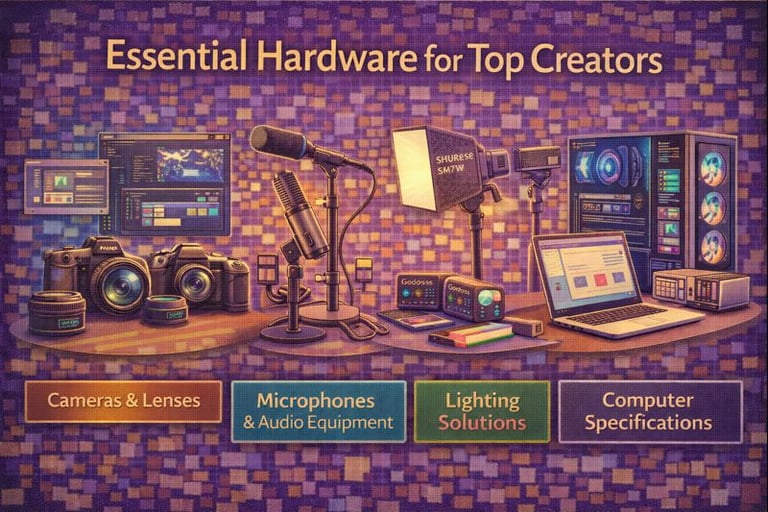
Essential Hardware For Top Creators
Professional content creation demands reliable hardware that can handle intensive workflows and deliver consistent results. The right equipment forms the foundation of quality output across video, audio, and visual content production.
Preferred Cameras and Lenses
Top creators typically invest in full-frame mirrorless cameras like the Sony A7S III or Canon R5, which offer superior low-light performance and 4K recording capabilities. These bodies range from $3,500 to $4,500 and provide the sensor size and processing power needed for professional work.
For lenses, you'll find most professionals using a core set of focal lengths. A 24-70mm f/2.8 serves as the workhorse for general shooting, while 50mm f/1.4 primes excel at interviews and portraits. Wide-angle options like 16-35mm f/2.8 handle establishing shots and tight spaces.
Many creators also maintain a telephoto zoom in the 70-200mm range for compression effects and detailed shots. Cinema-focused creators often add cinema lenses with manual focus controls and consistent aperture rings, though these can cost $1,500 to $5,000 per lens.
Microphones and Audio Equipment
The Shure SM7B remains the industry standard for vocal recording, used extensively in podcasting and voiceover work at around $400. You'll need a quality audio interface like the Focusrite Scarlett series or Universal Audio Apollo to connect XLR microphones to your computer.
For on-camera work, the Sennheiser MKE 600 or Rode NTG shotgun microphones provide directional audio capture. Wireless systems from brands like Sennheiser G4 or Rode Wireless GO II offer freedom of movement during interviews and dynamic shots.
Your monitoring setup matters as much as recording equipment. Professional creators use studio headphones like the Audio-Technica ATH-M50x or Beyerdynamic DT 770 Pro for accurate sound reproduction during editing.
Lighting Solutions
Three-point lighting setups form the basis of professional video work. Key lights typically use LED panels like the Aputure 300D II or Godox SL-60W, which offer adjustable color temperature and high output at 5600K daylight balance.
Softboxes and diffusion materials modify harsh light sources into flattering illumination. Your fill and rim lights can use smaller, less expensive fixtures since they operate at lower intensities. Many creators choose RGB LED panels like the Aputure MC or Nanlite PavoTube for accent lighting and color effects.
Continuous lighting gives you real-time feedback compared to strobes, making it easier to achieve desired results. Budget around $800 to $2,000 for a complete three-light setup with stands and modifiers.
Computer Specifications
Video editing and rendering require substantial processing power. Professional creators typically use systems with at least 32GB RAM, though 64GB or more becomes necessary for 4K timelines with multiple effects layers.
Your CPU should be a current-generation processor with 8 cores minimum. The AMD Ryzen 9 or Intel Core i9 series handle multi-threaded rendering tasks efficiently. GPU acceleration matters significantly in modern editing software, making dedicated graphics cards like the NVIDIA RTX 4070 or higher essential for smooth playback and faster exports.
Storage needs divide into two categories. You need fast NVMe SSDs (1TB minimum) for your operating system and active projects, plus larger capacity HDDs or external RAID arrays for archival footage. Plan for at least 4TB of total storage to start, expanding as your content library grows.
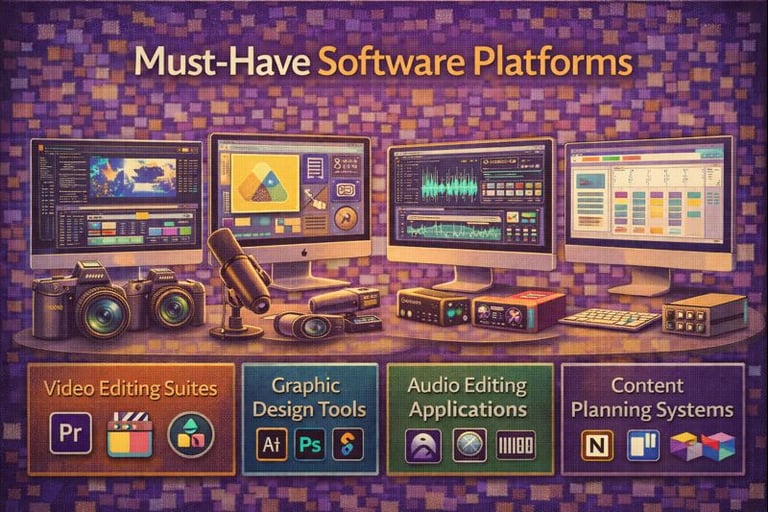
Must-Have Software Platforms
Professional creators rely on specific software categories to produce high-quality content: non-linear editing systems for video work, vector and raster programs for visual design, and digital audio workstations for sound production.
Editing Suites and Programs
Adobe Premiere Pro dominates professional video editing with its industry-standard timeline interface and integration with other Creative Cloud applications. You'll find it in broadcast studios and production houses worldwide.
DaVinci Resolve offers a complete post-production package that includes advanced color grading capabilities formerly reserved for high-end systems. The free version provides professional-grade features that rival paid alternatives.
Final Cut Pro remains the choice for Mac-based editors who need optimized performance on Apple silicon. Its magnetic timeline and background rendering speed up workflow significantly.
For quick turnarounds, Adobe After Effects handles motion graphics and visual effects that editing programs cannot accomplish alone.
Graphic Design and Illustration Tools
Adobe Photoshop serves as the standard for raster-based image editing and digital painting. You can manipulate photographs, create textures, and design web graphics within a single application.
Adobe Illustrator handles vector graphics for logos, typography, and scalable artwork. Your designs remain crisp at any size, from business cards to billboards.
Figma has transformed UI/UX design with real-time collaboration features. Multiple team members can work on the same file simultaneously, eliminating version control issues.
Affinity Designer provides a one-time purchase alternative with both vector and raster capabilities in a single workspace.
Audio Editing Applications
Pro Tools maintains its position as the recording industry standard for music production and post-production audio. Most professional studios run this platform for tracking, mixing, and mastering.
Logic Pro delivers comprehensive music production tools exclusively for macOS users. Its built-in sound library and virtual instruments reduce the need for third-party plugins.
Ableton Live excels in electronic music production and live performance scenarios. The session view enables non-linear composition workflows that traditional DAWs cannot replicate.
Adobe Audition specializes in podcast editing and audio restoration with precise spectral editing tools. You can remove unwanted noise and repair damaged recordings efficiently.
Content Planning And Organization Tools
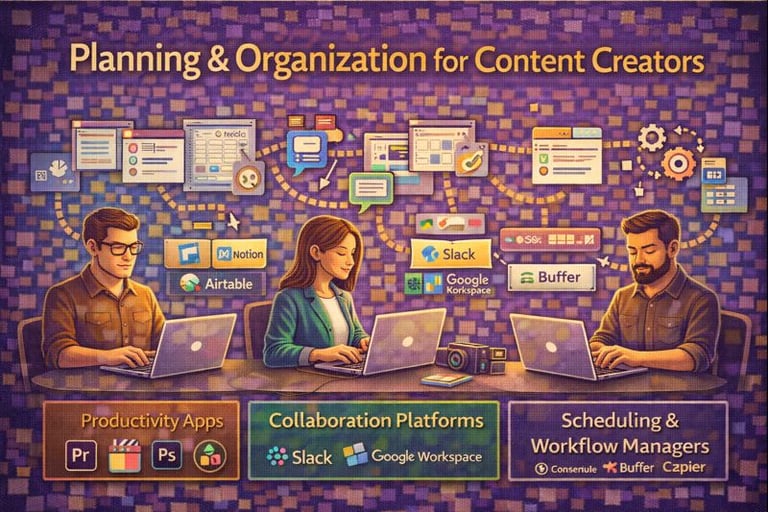
Professional creators rely on specific apps and platforms to map out content calendars, coordinate with team members, and automate their publishing workflows. These tools transform chaotic production schedules into systematic processes that save time and reduce errors.
Productivity Apps
Notion dominates among content creators for its flexibility in organizing ideas, research, and content drafts in one workspace. You can create databases, wikis, and task lists that adapt to your specific workflow needs.
Trello offers visual boards using cards and columns that help you track content from ideation through publication. The drag-and-drop interface makes it simple to see what stage each piece is in.
Airtable combines spreadsheet functionality with database power, letting you build custom content tracking systems with views for calendars, galleries, and kanban boards. Many creators use it to manage editorial calendars with fields for deadlines, status, assigned writers, and SEO keywords.
Evernote remains popular for capturing quick ideas, web clippings, and research notes that you can organize with tags and notebooks.
Collaboration Platforms
Slack serves as the communication hub for content teams, offering channels for different projects, direct messaging, and integrations with other tools. You can share files, provide feedback, and keep conversations organized by topic.
Google Workspace provides essential collaboration through Docs, Sheets, and Slides where multiple team members can edit simultaneously. The commenting and suggesting features streamline the review process without endless email chains.
Monday.com gives teams visual project management boards with customizable workflows, automated notifications, and timeline views. You can assign tasks, set dependencies, and track progress across multiple content projects.
Asana helps larger teams coordinate complex content operations with project templates, milestone tracking, and workload management features.
Scheduling and Workflow Managers
CoSchedule specializes in content marketing calendars with social media scheduling, team collaboration, and analytics built into one platform. The marketing suite helps you plan campaigns across multiple channels.
Buffer and Hootsuite automate social media posting across platforms, letting you schedule weeks of content in advance. Both offer analytics to track engagement and optimal posting times.
Zapier connects different tools in your workflow, automating repetitive tasks like saving email attachments to cloud storage or creating tasks from form submissions. You can build multi-step workflows without coding knowledge.
Social Media And Distribution Tools
Professional creators rely on specific platforms to track performance metrics and automate their posting schedules across multiple channels. These tools handle the technical logistics of content distribution while providing data-driven insights for strategic decisions.
Analytics and Insights Platforms
Google Analytics 4 remains the standard for website traffic analysis, offering detailed audience demographics, behavior flows, and conversion tracking. YouTube Studio provides creators with watch time metrics, audience retention graphs, and revenue analytics specific to video content.
Sprout Social and Hootsuite Analytics deliver cross-platform social media metrics in unified dashboards. These platforms track engagement rates, follower growth, and optimal posting times across Instagram, Twitter, Facebook, and LinkedIn simultaneously.
Native platform analytics also matter. Instagram Insights, TikTok Analytics, and Twitter Analytics give you direct access to platform-specific data like story completion rates, share counts, and impression sources. Most professionals combine native tools with third-party platforms to get complete performance pictures.
Publishing and Automation Tools
Buffer and Later dominate scheduling workflows for visual content creators. Both platforms let you queue posts weeks in advance, preview grid layouts for Instagram, and automatically publish at predetermined times.
CoSchedule handles content calendars for blogs and social media together. You can plan article releases alongside promotional social posts in one interface.
Zapier connects different tools through automated workflows. You can set up automatic cross-posting from YouTube to Twitter, save Instagram mentions to spreadsheets, or trigger email sequences when new blog posts publish. These automations save hours of manual work each week.
Monetization And Community Engagement Tools
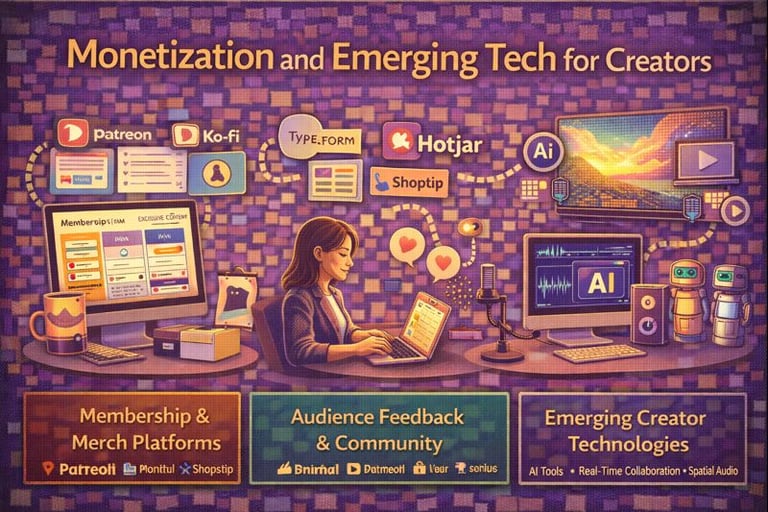
Top creators rely on platforms that turn audiences into sustainable income streams while maintaining direct relationships with supporters. The right combination of membership platforms, merchandising solutions, and feedback tools creates multiple revenue channels without requiring extensive technical knowledge.
Patreon, Ko-fi, and Membership Sites
Patreon remains the dominant choice for recurring revenue, offering tiered membership levels with exclusive content access. You can offer different perks at price points ranging from $3 to $100+ per month, with the platform handling payment processing and content delivery.
Ko-fi provides a lighter alternative with one-time donations and optional monthly subscriptions. The platform charges zero fees on donations (only payment processing fees), making it attractive for creators just starting monetization.
Memberful and Ghost serve creators who want more control over their membership experience. These platforms integrate with your existing website and allow custom branding, email newsletters, and content gating. You'll pay monthly fees but keep a larger percentage of subscription revenue compared to Patreon's 5-12% cut.
Merchandising Platforms
Printful and Printify handle print-on-demand products without inventory requirements. You upload designs, set retail prices, and the platform manufactures and ships items after each sale. Profit margins typically range from 20-40% depending on product type.
Shopify works best when you're managing multiple revenue streams under one brand. You can sell digital products, physical merchandise, and course access through a single storefront. The platform charges $29-299 monthly plus payment processing fees.
Fourthwall specifically targets content creators by combining merchandise, memberships, and donations in one interface. The platform integrates with YouTube and Twitch, automatically featuring products during streams.
Audience Feedback Tools
Discord servers give you direct communication channels with supporters through text, voice, and video. You can create private channels for paying members, host Q&A sessions, and gather real-time feedback on content ideas.
Typeform and Google Forms collect structured feedback through surveys and polls. Premium Typeform plans ($25-83 monthly) offer logic jumps and hidden fields for sophisticated audience research.
Hotjar tracks how visitors interact with your website through heatmaps and session recordings. You'll identify which content resonates and where potential supporters drop off in your sales funnel.
Unique Accessories and Niche Gear
Top creators often rely on specialized accessories that solve specific problems in their workflows. These tools may seem unconventional, but they serve critical functions during production.
Cable management systems like velcro wraps and cable sleeves keep filming locations organized and prevent tripping hazards. Many professionals use colored cable ties to identify different audio and power lines quickly.
Monitor hoods and sun shades allow you to see your camera screen clearly in bright outdoor conditions. These attachments block glare and help you maintain accurate exposure settings while shooting.
Accessory Type
Primary Use
Common Brands
Lens cleaning kits
Maintaining optical clarity
Zeiss, Giottos
Color calibration tools
Ensuring accurate monitor colors
X-Rite, Datacolor
Gaffer tape
Securing equipment and cables
ProTapes, Permacel
White balance cards
Setting accurate color temperature
X-Rite, DGK
Wireless timecode generators synchronize multiple cameras and audio recorders, making multi-cam editing significantly faster. You can align all your footage automatically in post-production.
External battery plates convert professional camera batteries to power smaller devices like monitors and wireless transmitters. This reduces the number of different battery types you need to carry.
Lens support rails distribute weight more evenly when using heavy cinema lenses. They prevent strain on your camera's lens mount and provide additional mounting points for accessories like follow focus systems.
Emerging Technologies The Pros Are Adopting
Professional creators are rapidly integrating AI-powered tools into their workflows. These technologies handle repetitive tasks like transcription, clip selection, and basic editing, freeing up time for creative decision-making.
Cloud-based collaboration platforms are becoming standard equipment. You can now edit projects simultaneously with team members from different locations, with changes syncing in real-time. This shift eliminates the bottlenecks of file transfers and version control issues.
Voice synthesis and text-to-speech tools have reached professional quality levels. Top creators use them for voiceovers, multilingual content, and accessibility features without additional recording sessions.
Currently trending AI tools include:
Automated audio cleanup and noise reduction
Smart content repurposing across platforms
AI-assisted color grading and visual enhancement
Intelligent clip selection from long-form content
Real-time caption generation
Virtual production technologies are no longer exclusive to big-budget studios. You can access LED wall technology and real-time rendering through rental facilities and production houses at accessible price points.
Spatial audio tools are gaining traction among podcasters and video creators. These technologies create immersive sound experiences that work with standard headphones and speakers.
The pros aren't adopting every new tool that appears. They focus on technologies that solve specific workflow problems or enhance output quality. Your adoption strategy should follow the same principle—evaluate each tool based on your actual needs rather than hype.
Evaluating And Updating Your Toolkit
Your toolkit needs regular assessment to stay effective. Set a quarterly review schedule to examine which tools you actually use versus which ones collect digital dust.
Track these key metrics for each tool:
Usage frequency - How often you open it per week
Time saved - Hours gained compared to manual work
Output quality - Whether results meet your standards
Cost per use - Monthly fee divided by actual usage days
Remove any tool you haven't touched in 30 days unless it serves a seasonal purpose. Subscriptions drain your budget when they sit idle.
Watch for signs you've outgrown a tool. Loading times that slow your workflow, missing features your competitors have, or workarounds you've created all signal it's time to upgrade.
New tools emerge constantly in the creator space. Allocate one hour monthly to research alternatives in your main categories. Check creator forums, YouTube reviews, and Reddit threads where users discuss real experiences.
Evaluation Factor
Keep Tool
Replace Tool
Weekly usage
3+ times
Under 2 times
Features used
50%+
Under 30%
Support quality
Responsive
Slow/absent
Price vs. value
Reasonable
Overpriced
Test replacements before canceling existing subscriptions. Most tools offer free trials that let you compare performance side-by-side. Export your data first to ensure smooth transitions.
Update doesn't always mean replacing. Sometimes the tool you have adds the exact feature you need in their next release. Join beta programs or early access groups to influence development.
Conclusion
The right tools can transform your creative workflow, but they only matter if you actually use them. Every professional creator featured in this guide started with basic equipment and upgraded strategically as their skills and needs evolved.
Your toolkit should reflect your current skill level and project requirements. Don't rush to buy every piece of software or hardware the pros use. Start with one or two essential tools that address your biggest production bottleneck.
Key takeaways for building your toolkit:
Audio creators prioritize quality microphones and DAWs like Pro Tools or Logic Pro
Video professionals invest in color grading software and editing platforms such as DaVinci Resolve or Adobe Premiere
Content creators rely on versatile tools that handle multiple formats efficiently
Hardware matters but technique and practice matter more
The professionals interviewed for this article emphasized that mastering one tool completely beats owning several you barely understand. They recommend spending 80% of your time creating and 20% learning new tools.
Your budget doesn't determine your potential. Many top creators still use free or affordable alternatives for specific tasks. The difference between amateur and professional work lies in skill development and consistent practice, not expensive gear.
Focus on tools that remove friction from your creative process. Test options through free trials before committing to subscriptions. Build your toolkit gradually as you identify genuine needs rather than perceived requirements.